
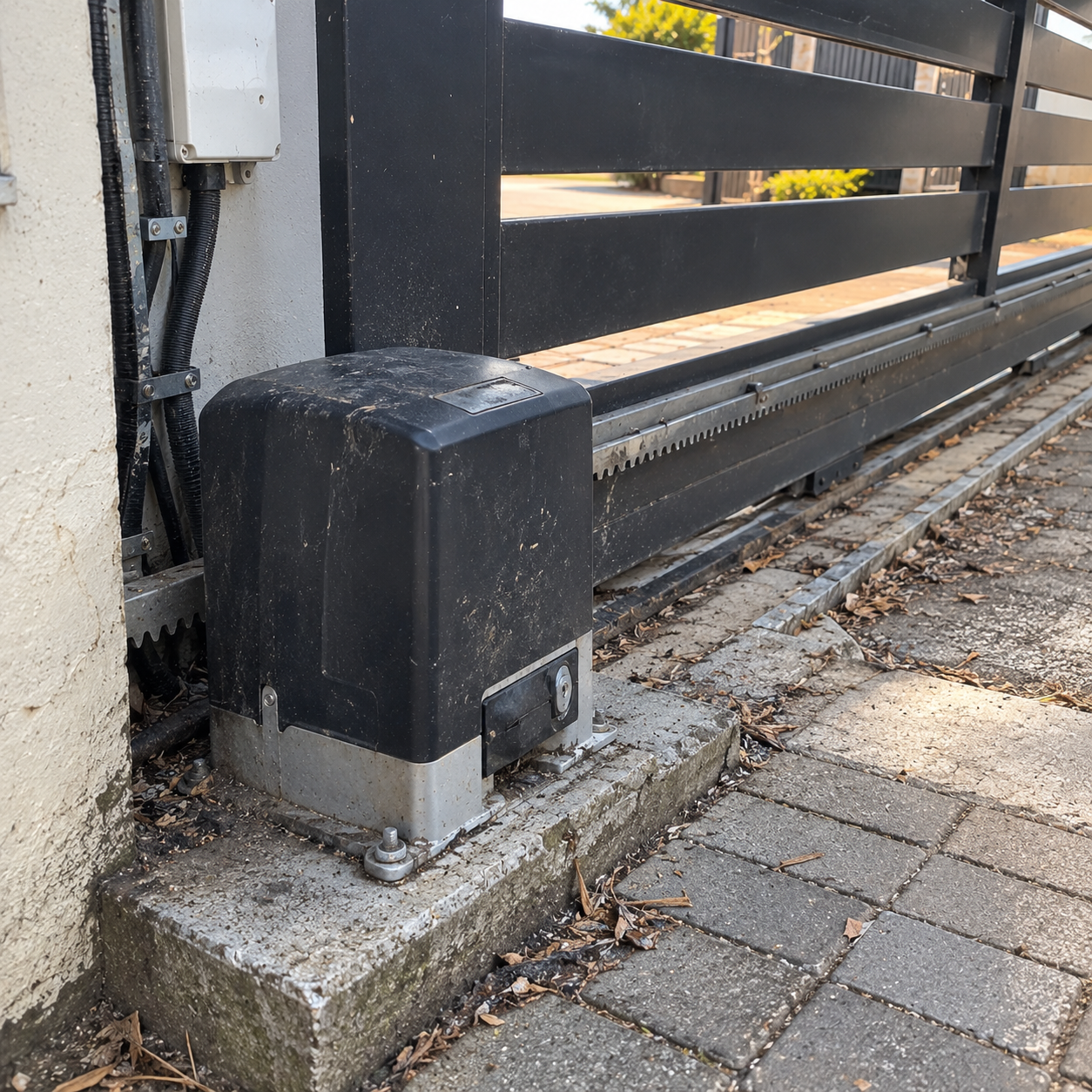
A gate motor that suddenly stops working can be frustrating, particularly when you need to leave the property or get home and the gate refuses to move. Sometimes the cause is straightforward, such as a flat backup battery, a remote with a weak battery or a gate that has become obstructed. In other cases, the fault may involve the motor’s control board, electrical supply, safety devices or the mechanical parts that allow the gate to move.
The important thing is not to assume that the motor itself has failed. A motorised gate is a system made up of several components, and a fault in one part can prevent the entire entrance from operating correctly.
Before arranging a repair, there are a few basic checks you can carry out safely. These can help you narrow down the possible cause without dismantling the equipment or risking further damage.
This guide explains the most common reasons a gate motor stops working, what you can check yourself, when professional attention is needed and how to reduce the likelihood of recurring problems.
Get Your Gate Motor Working Again
Tell us what has gone wrong with your gate motor, and we’ll help you explore the next steps.
Start by Identifying What the Gate Is Doing
Before troubleshooting, pay attention to the symptoms. Does the gate fail to respond altogether? Does the motor make a noise but the gate stays still? Does it begin moving before stopping halfway? Or does it open normally but refuse to close?
These differences matter because they can point towards different faults.
For example, a gate that makes no sound when you press the remote may have a power supply, battery, receiver or control issue. A motor that runs but cannot move the gate may be dealing with a mechanical obstruction, a disengaged drive mechanism or damaged components. A gate that reverses unexpectedly may have a problem with its movement, settings or safety equipment.
Start by observing the system rather than repeatedly pressing the remote. Repeated attempts to operate a struggling motor can put additional strain on the equipment and may worsen an existing fault.
Pay attention to the following:
-
No response at all: The remote, receiver, power supply, battery or control board may be involved.
-
Motor noise without gate movement: The drive mechanism may be disengaged, damaged or unable to move the gate.
-
Slow or uneven movement: The gate may be obstructed, poorly aligned or placing too much strain on the motor.
-
Gate stops halfway: A mechanical restriction, power issue, safety device or operating setting may be responsible.
-
Gate opens but will not close: Check for visible obstructions and safety-beam problems without bypassing any safety equipment.
-
Intermittent operation: An unreliable battery, loose connection, failing component or inconsistent power supply may be contributing.
These symptoms are clues, not definitive diagnoses. Several different faults can produce similar behaviour, so a proper assessment may still be necessary.
1. The Gate Motor Has Lost Its Power Supply
One of the first things to consider is whether the gate motor is receiving power.
Automatic gates generally rely on an electrical supply to operate the control system and charge the backup battery. If the supply is interrupted, the gate may stop working or switch to battery power until that backup is depleted.
A power interruption does not automatically mean that the motor is faulty. The problem may be somewhere in the supply to the system.
What to check
Look for visible signs that the property has lost power. If the motor has an external status indicator or display, observe whether it is illuminated and whether it shows an error. You can also check whether other equipment on the same supply is working normally.
If there has been a power interruption, allow the system time to respond once the supply returns. Some gate motors resume normal operation automatically, while others may need a reset or further checks according to the manufacturer’s instructions.
Do not open electrical enclosures, handle exposed wiring or attempt to test live electrical connections yourself. If the power supply appears faulty, a qualified technician or electrician should investigate.
If the rest of the property has electricity but the gate motor remains unresponsive, the fault could involve the motor’s dedicated supply, charger, wiring or control equipment.
2. The Backup Battery Is Flat or Deteriorating
A weak backup battery is another common reason for gate motor problems. The battery allows compatible systems to continue operating during a power failure, but it must be in good condition and charged correctly.
As batteries age, their ability to hold a charge declines. A battery can also become unreliable if the charging system is faulty or the motor has been operating on backup power for an extended period.
Sometimes the gate works when the main electricity supply is available but stops during an outage. In other cases, it moves slowly, operates only once or twice, or fails despite the battery indicator appearing normal.
What you can look for
Check the motor’s status lights or display for battery warnings, if these are available on your model. Think about whether the problem began after a power outage or whether the gate has gradually become less reliable.
A battery that repeatedly goes flat may need replacing, but the battery should not be blamed without checking the charging system. A faulty charger or electrical supply could cause a new battery to develop the same problem.
Battery replacement should follow the manufacturer’s specifications. Using an unsuitable battery can affect performance and may damage the system.
If the gate depends on backup power for security and access, have the battery and charger assessed together. Replacing a battery without investigating an underlying charging fault may only provide a temporary improvement.
3. The Remote Control Is Not Working
A gate motor may be perfectly functional even when the remote control stops responding. Because the remote is often the first thing people use to operate the gate, it is easy to assume that the motor has failed when the actual problem is with the access device.
Possible causes include a depleted remote battery, damaged buttons, interference, lost programming or a fault with the motor’s receiver.
Simple checks to try
Start with the remote itself. If it has an indicator light, check whether the light comes on when you press a button. Keep in mind that an illuminated indicator does not necessarily prove that the remote is transmitting a usable signal.
If you have another remote that is already programmed for the same gate, try it from a safe position. If the second remote works, the original remote may be the problem.
If neither remote works, the issue could be the receiver, power supply or control board rather than the remotes themselves.
Avoid repeatedly attempting to reprogramme the system without checking the manufacturer’s instructions. Some programming procedures can remove existing remotes or change access settings. This can create additional problems, particularly where several people rely on the gate.
If the remote needs replacement, make sure the new device is compatible with the gate motor’s receiver and security system.
4. The Gate Track Is Dirty or Obstructed
A motorised gate still depends on the physical gate moving freely. For a sliding gate, debris in the track can interfere with the wheels and increase the force needed to move the gate.
Small stones, leaves, mud, accumulated dirt and other debris may appear harmless, but they can prevent smooth movement. Vegetation can also grow around the track or interfere with moving parts.
When the gate encounters resistance, the motor may struggle, slow down, stop or trigger a protective response, depending on the system.
What to check
From a safe position, inspect the visible length of the sliding gate track. Look for stones, compacted dirt, branches or other obvious obstructions. Check whether anything is visibly trapped in the gate’s path.
If there is a loose obstruction that can be removed safely without approaching moving parts, clear it while the gate is stationary and the system is prevented from operating unexpectedly.
Do not put your hands near the wheels, rack, rollers or other moving components. Never try to remove an obstruction while someone else is operating the gate.
If the gate still struggles after visible debris has been removed, the cause may be worn rollers, damaged track sections, alignment problems or another mechanical fault. These issues require more than routine cleaning.
For sliding gates, keeping the track clear is a simple maintenance task that can help prevent avoidable strain on the motor.
5. The Gate Is Too Heavy or Difficult to Move
A gate motor is designed to operate within specified limits. If the gate becomes difficult to move, the motor may no longer be able to open and close it reliably.
This can happen even if the motor worked well when it was first installed. Gate components wear over time, hinges can deteriorate, rollers can seize and structural movement can affect alignment.
A gate may also have been fitted with a motor that was not suitable for its weight, size or frequency of use in the first place.
For a sliding gate, the problem may involve the wheels, track, rack or guide system. For a swing gate, worn hinges, sagging, poor balance or an unsuitable opening angle may contribute to the difficulty.
Why this matters
When the gate places excessive strain on the motor, the system may move slowly, stop unexpectedly or experience repeated faults. Continuing to operate it in this condition can accelerate wear on the motor and drive components.
A stronger motor is not automatically the correct solution. If the gate itself is damaged or difficult to move, replacing the motor without correcting the underlying mechanical problem may simply lead to another failure.
The gate and its supporting components should be assessed alongside the motor. This helps establish whether the problem can be resolved through adjustment or repair, or whether a different motor is needed.
6. The Motor Runs, but the Gate Does Not Move
If you can hear the motor operating but the gate remains stationary, the fault may involve the drive mechanism rather than the electrical supply.
On a sliding gate, the motor transfers movement through a gear that engages with a toothed rack attached to the gate. If the rack is damaged, poorly aligned or no longer engaging correctly, the motor may run without moving the gate as intended.
A disengaged manual-release mechanism can produce similar symptoms. Many automatic gates have a release mechanism that allows the gate to be operated manually during a power failure or when access is required for maintenance.
If that mechanism has not been returned to its normal operating position, the motor may not engage with the gate.
What should you do?
Observe the gate from a safe distance and listen to what happens when the system is activated. Do not put your hands near the gears, rack or moving components to see whether they are engaging.
If the gate has recently been operated manually, check the manufacturer’s instructions to establish whether the manual-release mechanism needs to be returned to its normal position. Only attempt this if the procedure is clearly explained for your model and can be performed safely with the gate secured against unexpected movement.
If the motor continues running without moving the gate, stop operating it and arrange an inspection. Damaged gears, a worn rack, loose mounting hardware or a mechanical fault may require professional attention.
7. A Safety Beam Is Preventing the Gate From Closing
Many automated gates use safety beams or other protective devices to detect objects in the gate’s path. Depending on the system, these devices can stop movement or prevent the gate from closing when an obstruction is detected.
This is an important safety feature, particularly where vehicles, pedestrians, children or pets may pass through the entrance.
However, a dirty, misaligned or damaged beam can sometimes prevent the gate from operating correctly even when there is no obvious obstruction.
What to inspect
Look at the visible safety-beam units on either side of the entrance. Check whether anything is blocking the path between them and whether the units appear visibly damaged or displaced.
Dirt, cobwebs, vegetation and accidental knocks can interfere with the equipment. If the manufacturer permits external cleaning, gently clean the accessible surfaces while the gate is stationary and the system cannot move unexpectedly.
Do not open the beam housings, interfere with their wiring or bypass them to make the gate close. A gate that operates without functioning safety equipment can create a serious injury risk.
If the beam appears clean but the gate still refuses to close, a technician may need to check its alignment, wiring, power supply and compatibility with the control system.
8. The Gate Stops Halfway or Reverses Unexpectedly
A gate that starts moving but stops before reaching its normal position can be difficult to diagnose. The cause may be mechanical resistance, a weak battery, a power supply issue, a safety device or an operating setting.
The timing and pattern of the fault can help narrow down the possibilities.
For example, a gate that stops at the same point every time may be encountering a physical restriction or a problem with its travel settings. A gate that stops at different points may be experiencing inconsistent resistance or an electrical issue.
A gate that reverses unexpectedly may also be responding to its obstacle-detection system. This protective response should not automatically be treated as a nuisance or a fault to disable.
Check for visible changes
Look along the gate’s path for anything that could interfere with its movement. Notice whether the gate is scraping the ground, catching against a post or struggling at a particular point.
Consider whether the problem started after maintenance, a collision, heavy rain or other changes around the entrance. These details can help a technician identify the likely cause.
Do not adjust force settings or travel limits simply to make the gate complete its movement. Increasing the force can affect the gate’s safety, while incorrect travel settings may cause it to push against a stop or fail to close properly.
If the gate repeatedly stops or reverses, discontinue repeated attempts and have the system inspected.
9. The Control Board or Receiver Has Developed a Fault
The control board is the electronic component that manages commands from the remote or access system and controls the motor’s operation. Depending on the model, it also monitors safety inputs, operating limits, battery condition and other functions.
A faulty control board or receiver can cause symptoms that resemble several other problems. The gate may ignore remote commands, operate intermittently, respond unpredictably or stop working altogether.
Possible contributing factors include component wear, electrical surges, moisture entering the enclosure, damaged wiring or faults elsewhere in the system.
Can you reset the gate motor?
Some gate motors have a manufacturer-approved reset procedure. However, resetting the system is not a universal solution, and the correct procedure varies between models.
Before attempting a reset, consult the user manual for your specific motor. Be aware that certain procedures may erase programmed remotes, change settings or require the system to be configured again.
If the motor repeatedly loses its settings, displays an error or becomes unresponsive after a reset, further fault-finding is needed. Repeatedly resetting the system without identifying the cause may delay the repair rather than resolve it.
Control boards and receivers should be inspected by a suitably qualified technician, particularly where electrical components, internal wiring or replacement parts are involved.
10. Weather, Moisture and Outdoor Conditions Have Affected the System
Gate motors are installed outdoors and are exposed to conditions that can affect their reliability over time.
Heavy rain, moisture entering an enclosure, dust accumulation, insects and extreme temperatures may contribute to problems depending on the equipment’s design, installation and condition.
Moisture is particularly important because it can affect electrical connections and electronic components. An enclosure that is damaged or improperly sealed may allow water to enter, even if the motor was originally designed for outdoor use.
Dust and debris can also accumulate around moving parts, while vegetation may interfere with a gate’s path.
What to look for
Consider whether the gate stopped working after a storm, flooding, cleaning or another event that may have exposed the equipment to water. Look for visible damage to the exterior enclosure, but do not open it to investigate.
If you notice water inside an enclosure, damaged wiring, a burning smell, smoke or unusual heat, keep clear of the equipment and arrange professional assistance. Do not touch wet electrical equipment or attempt to restore power yourself.
Weather-related problems should be investigated properly because visible symptoms may not reveal the full extent of the damage. A system that begins working again after drying out may still have compromised components or connections.
11. The Gate Motor Is Not Suitable for the Amount of Use
A gate motor that works well for a household entrance may not be suitable for a gate that opens and closes repeatedly throughout the day.
Motors have operating limits, and the appropriate model depends on factors such as gate weight, size, type, frequency of operation and the manufacturer’s duty-cycle specifications.
If a motor is used more frequently than it was designed to handle, it may overheat, become unreliable or experience premature wear. Some systems include thermal protection that temporarily prevents operation when the motor becomes too hot.
If the gate works again after being left alone for a while, overheating may be one possibility. However, this symptom can also occur for other reasons, so it should not be treated as proof of a thermal fault.
Allow the motor to cool if the manufacturer’s instructions recommend doing so, and avoid repeatedly activating it while it is struggling. If the problem recurs, have the system assessed to determine whether it is correctly matched to the gate and its daily workload.
12. An Intercom or Access Control System Is Preventing Operation
Not every gate that fails to respond has a faulty motor or remote. Where a gate is connected to an intercom, keypad, tag reader or access control system, the fault may originate in one of those devices.
For example, a gate may respond to a programmed remote but not to the intercom’s release button. Alternatively, the keypad may accept a code without sending the correct command to the gate motor.
These differences can help establish whether the problem is limited to one access method or affects the entire system.
If another approved access method is available, test it only when doing so is safe and appropriate. If one method works while another does not, tell the technician exactly what you observed.
Avoid changing wiring or bypassing access controls to force the gate to operate. The receiver, intercom, control board and access equipment may need to be checked together to locate the fault.
Get Your Gate Motor Working Again
Tell us what has gone wrong with your gate motor, and we’ll help you explore the next steps.
What to Do When Your Gate Motor Stops Working
Once you have identified the symptoms, the next step is deciding what to do without creating an additional safety or security problem.
Can you open the gate manually?
Many automated gates have a manual-release mechanism that allows the gate to be operated when the motor cannot function. The procedure depends on the type of motor and gate.
Before attempting manual operation, consult the manufacturer’s instructions. The gate must be secured against unexpected movement, and the surrounding area should be clear. A heavy sliding gate or swing gate can move unexpectedly if its mechanism is damaged or the gate is on a slope.
Never force a gate that is jammed, unusually heavy or difficult to move. Do not attempt manual operation if the gate is unstable, damaged or likely to fall. If you cannot release the mechanism safely, contact a technician.
Once the motor has been disengaged, remember that the gate may no longer provide the same level of controlled access. Keep the entrance supervised or secured through an appropriate alternative while repairs are arranged.
After manual operation, the mechanism must be returned to its normal operating position according to the manufacturer’s instructions before automatic operation resumes.
Should you switch the motor off?
If the motor is repeatedly straining, making unusual noises, overheating or attempting to move a jammed gate, stop operating it. Repeated activation can increase the risk of damage.
If there is smoke, a burning smell, visible electrical damage or water inside electrical equipment, keep clear and arrange professional assistance. Do not touch the equipment or attempt to disconnect exposed electrical connections.
For an ordinary remote or access-control problem, switching off the system may not be necessary. Follow the manufacturer’s guidance rather than using a general reset or shutdown procedure that may not suit your model.
When should you call a technician?
Professional assistance is appropriate when the fault involves electrical components, damaged mechanical parts, repeated stopping, unusual noises, safety devices, control boards or a gate that cannot move freely.
It is also worth arranging an inspection if the motor keeps draining its battery, loses its settings or works only intermittently. Recurring faults usually need proper diagnosis rather than repeated temporary fixes.
A technician can assess the motor, power supply, battery, control system and physical gate together. This is important because replacing a component without correcting the underlying problem may lead to another failure.
How to Prevent Gate Motor Problems
Regular maintenance cannot prevent every failure, but it can help identify wear and developing faults before the gate becomes completely unusable.
The maintenance requirements will depend on the motor model, the type of gate, the amount of daily use and the conditions in which the equipment operates. Always follow the manufacturer’s maintenance schedule.
Useful preventive measures include:
-
Keep the gate’s path clear. Remove visible debris from sliding tracks and prevent vegetation from interfering with the gate’s movement.
-
Pay attention to changes in movement. Slower operation, scraping, unusual noises or repeated stopping may indicate a developing mechanical problem.
-
Check the battery as recommended. Have the backup battery and charging system assessed at appropriate intervals, particularly if the gate is unreliable during power outages.
-
Inspect visible safety equipment. Keep safety beams clear and arrange repairs if they become damaged or misaligned.
-
Look for signs of physical damage. A bent gate, loose mounting bracket, damaged rack or sagging swing gate should be investigated before the motor suffers additional strain.
-
Arrange servicing when needed. A qualified technician can check mechanical components, electrical connections, operating settings and the condition of the motor.
Avoid applying grease or other lubricants to every visible component without checking the manufacturer’s guidance. Some gate parts require specific lubricants, while others, such as certain tracks or gear systems, may be designed to operate differently. The wrong product can attract dirt or interfere with the mechanism.
It is also important not to treat the gate motor as a maintenance-free appliance. A motor that appears to be working normally may still have a deteriorating battery, worn mechanical parts or safety equipment that needs attention.
Repair or Replace: Which Option Makes More Sense?
A gate motor that has stopped working does not necessarily need to be replaced. The right decision depends on the cause of the fault, the age and condition of the equipment, the availability of compatible parts and the suitability of the existing motor for the gate.
A repair may make sense when the fault is isolated, the motor remains suitable for the gate and the rest of the system is in reasonable condition. Examples might include a failed battery, a faulty remote or a repairable component.
Replacement may be worth considering when the motor has recurring faults, substantial internal damage, unavailable replacement parts or insufficient capacity for the gate’s workload. A newer motor may also be appropriate if the existing system no longer meets the property’s access requirements.
However, replacing an unsuitable motor without addressing the gate’s condition can repeat the original problem. A new unit may still struggle if the gate is too heavy, poorly aligned or difficult to move.
The assessment should therefore consider the whole entrance, including the gate, track or hinges, drive mechanism, electrical supply, backup battery, safety devices and access controls.
Cost is another consideration, but the cheapest immediate repair is not always the most economical long-term option. Repeated call-outs and component replacements can add up if the underlying fault remains unresolved. Ask for an explanation of the fault, the proposed repair and any additional work needed to improve reliability before deciding.
Choosing a Reliable Gate Motor Repair Service
When a gate motor fails, it is tempting to focus only on getting the gate moving again. However, a reliable repair should identify why the problem occurred and whether other parts of the system have been affected.
A thorough assessment should include the motor and its control equipment, but it should also consider the physical gate. A sliding gate with worn rollers or a damaged track can place unnecessary strain on the motor. A swing gate with worn hinges or poor alignment may create similar problems.
The technician should also consider the battery, charger, power supply, safety beams, receiver and any connected access equipment where relevant. This helps distinguish a motor fault from a problem elsewhere in the system.
It is useful to explain the symptoms clearly when requesting assistance. Mention whether the gate stopped suddenly or gradually became unreliable, whether it makes any noise, whether the fault started after a power outage and whether another remote or access method works. These details can help guide the initial assessment.
If a replacement is recommended, ask whether the proposed motor is suitable for the gate’s weight, dimensions and frequency of use. The installation should account for the condition of the existing gate and the access requirements of the property, rather than simply matching the specifications of the old unit.
A repair should also leave the system operating safely. Safety beams and other protective devices must remain functional, and the gate should move smoothly through its intended opening and closing cycle.
Keep Your Gate Working Reliably
A gate motor that refuses to operate may have a simple fault, but it can also be a sign of a developing mechanical, electrical or control-system problem. Checking the symptoms, looking for visible obstructions and testing an alternative approved access method can help narrow down the possibilities.
The key is to avoid forcing the gate or attempting repairs that involve electrical components, moving mechanisms or safety equipment. If the gate is struggling, repeatedly stopping or making unusual noises, stop operating it and arrange an assessment.
Regular maintenance, a suitable motor and a gate that moves freely all contribute to more reliable operation. When a fault does occur, identifying its actual cause is the best way to avoid repeated breakdowns and unnecessary component replacements.
Premium Projects provides gate motor installation and repair services as part of its wider perimeter security solutions. Whether the issue involves a motor, backup battery, access equipment or the physical gate, the aim is to identify a practical solution that supports safe and reliable access.
Get Your Gate Motor Working Again
Tell us what has gone wrong with your gate motor, and we’ll help you explore the next steps.